Your Google Business Profile has just been suspended. It’s a shock, and a serious problem for any local business. One minute you’re visible on Google Maps, the next you’re gone. The phone stops ringing, new customers can’t find you.
Google is continually stepping up its fight against fraudulent listings and spam. Unfortunately, in the process, legitimate businesses like yours sometimes find themselves caught in the net. This comprehensive dossier is your roadmap to understanding what happened and recovering your visibility.
A Google listing suspension is not inevitable. With the right method and the right documents, the vast majority of legitimate businesses regain their visibility. This guide gives you exactly that.
Chapter 1: Identifying the type of suspension
Before you can solve the problem, you need to play detective and understand exactly what happened. Let’s start by analyzing the clues Google provides.
Understanding Google suspension notification
You probably found out about the suspension in one of two ways: an e-mail from Google or a large red banner in your Google Business Profile dashboard. The subject line probably read something like “Your business profile has been suspended” or “Votre fiche d’établissement a été suspendue”.
This notification is your first clue. Keep this e-mail in a safe place: it often contains important information about the reason for the suspension, and you’ll need it for the appeal process.
Suspension e-mails from Google are often vague about the exact reason. Don’t be discouraged if you don’t immediately understand what happened. This guide will help you identify the cause.
Hard vs. soft suspension: knowing the difference
Not all suspensions are created equal. Knowing which type affects you is crucial, as it determines the severity of the problem and the strategy to adopt.
Soft suspension
With a soft suspension, your listing remains visible on Google, but you’ve lost the ability to manage it. You can no longer modify your information, reply to reviews or add photos. The listing is essentially “unverified”.
Symptoms of a soft suspension :
- Your listing always appears in Google searches
- The dashboard displays a message indicating that management is suspended.
- Edit buttons are grayed out or inaccessible
- Customers can always view your information and leave feedback
Caution: If you don’t correct the underlying problem, a soft suspension can easily evolve into a hard one.
Hard suspension
A hard suspension is more serious. Your Google listing is completely removed from Google Search and Google Maps. For potential customers, it’s as if your business doesn’t exist online. This usually happens when Google believes you’ve broken a major rule.
Symptoms of a hard suspension :
- Your company no longer appears at all in Google searches
- Your listing has disappeared from Google Maps
- The dashboard clearly indicates that the plug is suspended.
- Customers can no longer find your information
| Criteria | Soft suspension | Hard suspension |
|---|---|---|
| Visibility on Google | Visible listing | Invisible listing |
| Manageable | No | No |
| Receipt of notices | Yes | No |
| Severity | Moderate | High |
| Urgency of action | Important | Critical |
Profile suspension vs. account suspension
Sometimes the problem isn’t with your listing, but with the Google account of the person who manages it.
Profile suspension
This is the most common type. It means that a specific Google Business Profile record has been suspended for violating a rule. Other records managed by the same account are not affected.
Account suspension
This is much more serious. If a Google account is restricted for spam behavior, Google can suspend all the business listings to which that account has access. This is a nightmare for marketing agencies or companies with multiple locations.
How to check: You’ll usually receive two separate e-mails from Google: one stating that your Google Account has been restricted, and a second for each listing suspended as a result. You can also check the status at: myaccount.google.com/restrictions
In the event of account suspension, it is imperative to appeal and resolve the account restriction FIRST. All appeals for individual records will fail until the managing account is back in good standing.
Chapter 2: the main causes of suspension
To be reinstalled, you need to know what you’ve done wrong. Suspension emails from Google are often vague, but the reason is almost always one of these common mistakes.
Errors in essential information
These are the basics: your company name, address, phone number and website. Google requires this information to be 100% accurate.
Company name
The number one mistake is “keyword stuffing”. This means adding extra words to your business name, such as “Plomberie Martin – Meilleur Plombier de Lyon” or “Boulangerie Dupont | Artisan Boulanger Paris 15”.
Your name on Google My Business must be your real business name, period. It must correspond exactly to your official registration with the Registre du Commerce et des Sociétés (RCS), to your permanent sign, and to your official documents.
| ❌ Incorrect | ✓ Correct |
|---|---|
| Garage Martin – Cheap Car Repair Paris | Garage Martin |
| Restaurant Le Gourmet | French Cuisine Lyon | Restaurant Le Gourmet |
| Dr. Sophie Durand – Dentist Implants Marseille | Cabinet Dentaire Dr. Sophie Durand |
| Electricien Pro 24h/24 Urgence Bordeaux | Entreprise Électricité Martin |
The address
Inconsistent or non-compliant addresses are a major red flag for Google. Here are some common errors:
- Use a P.O. Box: BP or CEDEX addresses are not accepted as main addresses.
- Use a business mailbox: Domiciliary addresses in non-permanent business centers are problematic.
- Virtual office without physical presence: If no one is physically present at the address during business hours, it’s a violation.
- For home service companies: If you work from home and visit customers, you must hide your address on the form.
- Inconsistency between listing and website: The address on your GBP listing must match your website address exactly.
Telephone and website
The telephone number should be a direct line to your company, not a call tracking number that redirects to another number. Premium-rate numbers should also be avoided.
Your website link must point directly to your official website, not to a social networking page, a third-party landing page, or a link that redirects to another URL.
Content and policy violations
This covers everything you add to your listing, from photos to reviews to descriptions.
Misleading information
It’s a broad category for anything that isn’t true:
- Indicate “Open 24 hours a day” when you have no staff present at night
- Display different opening hours on your website and on your GBP card
- Claim certifications or labels that you do not possess
- Use photos from another establishment
Opinion manipulation
Don’t even think about it. Offering discounts in exchange for positive reviews, filtering out negative reviews, or publishing fake reviews (for yourself or against competitors) will get you into serious trouble fast. Google has sophisticated algorithms for detecting these practices.
Prohibited practices concerning notices :
- Solicit opinions in exchange for compensation (discounts, gifts, services)
- Ask only satisfied customers to leave a review (“review gating”)
- Publish false positive reviews from fictitious accounts
- Publish false negative reviews of competitors
- Discourage or prevent negative reviews
Photo and video rules
Your photos and videos must be true images of your company. Do not use stock photos (image banks) or blurred, poor-quality images. Photos must accurately represent your establishment, products or services.
High-risk sectors and sensitive actions
Certain actions and sectors of activity make Google’s algorithm nervous, even if they are not direct violations of the rules.
Making too many changes at once
If you change your name, address and main category in a single session, Google’s system may think your listing has been hacked and suspend it as a precautionary measure.
Best practice: If you need to make several major changes, space them out over several days. For example, update the name on Monday, the address on Wednesday, and the main category on Friday.
Sectors with a high spam rate
If your company operates in a sector known for a high level of spam, Google’s systems will monitor your listing more closely. Suspensions are much more frequent in these categories, due to a history of false listings and fraudulent activity.
| Emergency services | Home services | Regulated professions |
|---|---|---|
| Locksmiths | Plumbers | Lawyers |
| Automotive repair | Electricians | Doctors |
| Glaziers | Air Conditioning/Heating | Dentists |
| Unclogging drains | Movers | Accountants |
| Phone repair | Cleaning | Real estate agents |
Reports from competitors or users
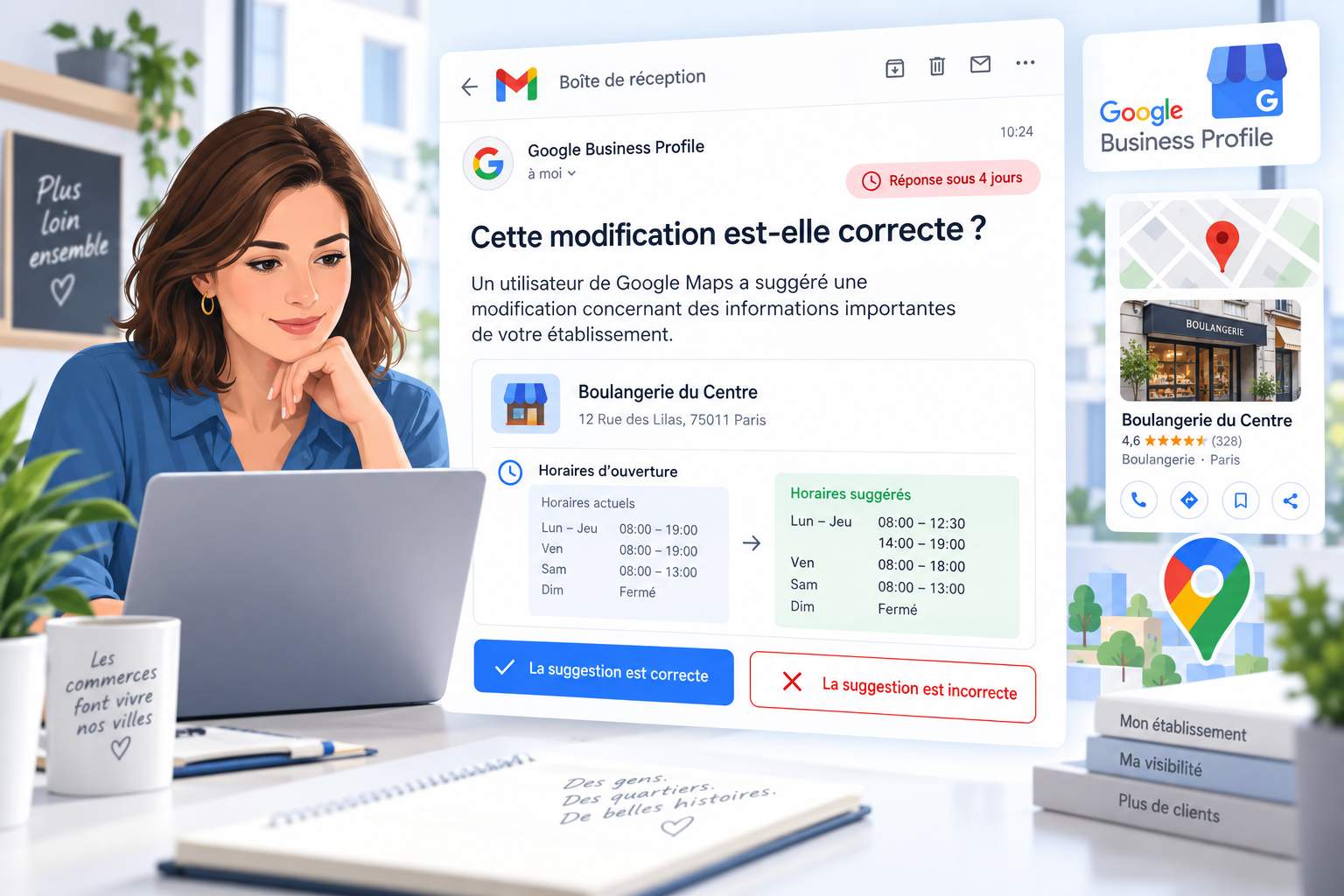
Sometimes it’s not your fault. Anyone on Google can “Suggest a change” or report your listing. A malicious competitor can easily trigger a suspension, forcing you to prove you’re a real business.
Risks related to third-party managers
Be careful who you give access to your listing. If your marketing agency has its Google account suspended, it could take your listing with it. Always delete users who are no longer relevant: former employees, former agencies.
Suspension self-diagnosis checklist
It’s time for a self-audit. Go through this checklist and be honest with yourself. Every “No” to a question indicates a potential problem.
- Does your GBP name exactly match your legal name on your Kbis extract and sign?
- Is your address a real physical address (not a P.O. Box or an unstaffed virtual office)?
- If you are a service company working from home, is your address hidden?
- Is your phone number a direct line to your company?
- Does your website link point directly to your official site (not a redirect or social network)?
- Do your opening hours correspond to the times when your business is actually open and staff are present?
- Have you ever offered gifts or discounts in exchange for reviews, or tried to block negative reviews?
- Are all your photos and videos real images of your company (not stock photos)?
- Didn ‘t you change your name, address or category several times just before the suspension?
- Have you checked that all users with access to your file are authorized?
Chapter 3: Preparing for your call
This is the most important part of the whole process. What you do before you appeal will determine your chances of success.
The golden rule: correct everything before appealing
Let me stress this point: don’t submit an appeal until you’ve corrected every problem identified in your audit. When you submit an appeal, it’s like saying to Google, “I’ve corrected everything, and my listing is now 100% compliant.”
If Google checks your listing and finds another problem, however small, that you’ve missed, they’ll reject your appeal. You only have a few chances, so don’t waste the first.
A call = A declaration that your listing is 100% compliant. Never submit an appeal in the hope that Google will “overlook” an unresolved issue.
Auditing and correcting your file
Based on your checklist, it’s time to clean house. The ultimate goal is to create a Google Business Profile that fully complies with all the guidelines.
Corrective actions to be taken :
- Correct your company name – Change it to your exact legal name. No extra words, no key words, no mention of location or specialty that isn’t part of your official company name.
- Correct your address – Update it to an actual physical location where someone is present during business hours. If you’re a service company that travels to customers, hide your home address.
- Update phone and website – Make sure you use a direct phone number and a link to your real website.
- Clean up content – Remove any exaggerated promotional content from your description and eliminate any stock photos.
- Check user access – Remove access for anyone who should no longer have access: former employees, former agencies.
Chapter 4: Gathering evidence for your appeal
Once your listing is perfectly compliant, it’s time to gather your evidence. You need to show Google that you’re a real, legitimate company operating where you say you are.
NAP consistency: a fundamental rule
Let’s talk about the most important rule concerning your proofs. This rule is a fundamental pillar of local SEO, often referred to as “NAP consistency” (Name, Address, Phone).
The name, address and phone number of your company on every document you submit must correspond perfectly to what appears on your Google listing. And when I say perfectly, I mean every last comma and character.
If your electricity bill says ” 15 rue de la Paix “, but your GBP listing says ” 15 Rue de la Paix ” (capitalized Rue), you’ll need to edit your listing to match the document exactly. Google’s revision process is very strict on this point.
Complete list of supporting documents
Here’s a list of the best documents for building your file. Try to obtain as many as possible.
Level 1: essential evidence (indispensable documents)
These documents are the absolute minimum required to prove that your company is real and operating legally at the address indicated.
| Document type | Description and use | Important notes |
|---|---|---|
| Kbis extract / Business license | Your official registry document. This is the cornerstone of your appeal. | If you use a trade name (DBA), include the registration document for this name. |
| Tax certificates | Official document from a tax authority: VAT notice, URSSAF certificate, tax document with SIRET. | Provides national validation. |
| Utility bill | Recent utility bill (electricity, water, internet) in your company’s name for the address indicated. | If utilities are included in your lease, provide a commercial invoice and mention this in the appeal. |
| Professional insurance | Certificate of professional liability insurance or other insurance policy document. | Demonstrates that you are an active and operational company. |
Level 2: documents strongly recommended
These documents considerably strengthen your case and are particularly useful if your first call is refused.
- Photos of permanent sign – A clear photo of the company sign at the entrance to the building. The information on the sign must match the information on the GBP sheet.
- Photos of business vehicles (with proof of specialized equipment) – For service companies, this is one of the most powerful forms of proof.
- Business cards and letterhead – These should display the company’s address and information.
- Company uniform with logo – Photos of staff wearing company uniform.
A simple photo of a flocked vehicle is not enough. You have to prove that it’s a work vehicle equipped for your specific job.
Open the vehicle doors and photograph your tools and specialized equipment stored inside. Do not submit photos of generic DIY tools.
Examples: An HVAC technician needs to photograph his refrigerant pressure gauges and vacuum pump. A specialized plumber needs to show a pipe inspection camera. An automotive glazier needs to capture his resin injectors and UV lamps.
Level 3: for difficult cases
- Lease or deed of ownership – Proves that you have the right to be at your address.
- Premises tour video – A short video (60-90 seconds) showing the exterior of your building, your entrance and your workspace. Include street signs and state the company’s full name and address at the beginning.
Preparing your files for submission
Let’s make it easy for the Google team to examine your evidence:
- Quality scanning – Use a high-resolution scanner and save everything in color. No blurred photos.
- Logical file naming – Give each file an obvious name: “Extrait_Kbis.pdf”, “Facture_EDF.pdf”, “Photo_Enseigne.jpg”.
- Create a ZIP file – Put all your files in a single ZIP folder for easy downloading.
Chapter 5: The step-by-step relocation process
Your file is corrected and your proofs are ready. It’s time to officially request the reinstallation of your file.
Initiating your first call
You do this via theGoogle Business Profile call tool. This first step is initiated via the standard tool, which is often linked directly from your suspension notification.
Consider this your first and best opportunity to present a clear, well-documented case. If this appeal is not approved, there is a separate formal process for a second review (see Chapter 6).
Steps to initiate the call :
- Access the call tool and log in with the Google account that manages the card.
- Select the suspended card from the list.
- The tool will show you the reason for the suspension. Examine it, then click on “Submit call”.
The 60-minute stopwatch
This is where people stress. After submitting the call, you’ll see a link to “Add evidence”. As soon as you click on this link, a 60-minute timer starts, and you can’t pause it. If you haven’t uploaded your evidence in time, your call will be submitted without it.
But you’ll be prepared. Since you already have all your files scanned and logically named in a folder, this timer is no problem at all. Just click, select your files, and you’re done in minutes.
Prepare your ZIP file with all your documents BEFORE clicking on the add evidence link. Have it open and ready on your desktop. You’ll be able to download it in less than 5 minutes.
Write your call message
The form includes a text box for adding additional information. This is not the place to write a novel or complain. Keep it short, professional and to the point.
Deadlines and follow-up
Warning: Resettlement time is highly variable and not guaranteed. It depends on the complexity of your case, the seriousness of the violation, the quality of your evidence and the volume of calls handled.
Although official Google documentation may suggest a review period of 3 to 7 working days, the actual process can take 3 to 5 weeks, or even longer in complex cases.
| Stage | Estimated duration | What happens |
|---|---|---|
| 1. Submission and confirmation | 24 – 72 hours | You will receive an e-mail confirming receipt with a Case ID. Please keep it in a safe place. |
| 2. Queue and review | 1 – 4+ weeks | Longest phase. Your file is reviewed by a human specialist. Do NOT submit a new call during this period. |
| 3. Decision e-mail | (End of step 2) | You will receive an e-mail with the decision: “Approved” or “Not approved”. |
| 4. Post-reinstallation restoration | Up to 72 hours | After approval, visibility, reviews and rankings are gradually restored. Avoid major modifications. |
Factors that may delay your relocation :
- Complex problems: Duplicate files, address disputes, account suspensions
- High-risk sectors: locksmiths, plumbers, lawyers, air conditioning
- Incomplete evidence: Unclear documents, inconsistencies with the form, insufficient evidence
Chapter 6: What to do if your call is rejected
Receiving a rejection e-mail is tough, but don’t give up. For a real company, it’s often not the end of the road.
Preparing to climb
If your first appeal was denied, it means you either missed a rule violation or your evidence wasn’t strong enough. Don’t simply make a new call with the same information. Go back to the detective phase.
What to do after a refusal :
- Read the rejection e-mail carefully for clues
- Audit your file even more thoroughly with fresh eyes
- Re-examine your documents: address inconsistencies? Blurred scans?
- Prepare new, stronger evidence: video of visit, additional documents
Additional revision form
If your initial appeal is rejected, do not submit another appeal via the same form. Repeated submissions without new evidence may be ignored or automatically rejected.
Google has a dedicated process for a second, more detailed review. Go to the “Request additional review of a declined call” form available in Google Business Profile Help.
You must have the Case ID of your refusal e-mail to use this form. This is an absolute requirement.
What your second call should contain :
- Recognition of previous refusal
- Explanation of the new evidence provided
- 60-second video tour of your company
- Signed lease agreement
- Additional Level 2 and Level 3 documents
Climbing to the GBP support community
If your second call is also rejected, you have one last option: the official Google Business Profile Help Community. This is a public forum where volunteer Product Experts (PEs) are active. High-level PEs can pass on deserving cases directly to Google’s internal team.
To get their help, your publication must include :
- Company name, address and URL of your GBP listing
- Case IDs of your rejected calls
- A link to a Google Drive folder containing all your evidence
- A polite request for a Product Expert to examine your case
Chapter 7: Protecting your reinstalled plug
You’ve got your card back! It’s a great victory, but you’re not out of the woods yet. A freshly reinstalled plug is often in a fragile state.
The first 30 days: what not to do
For the first two to four weeks after your relocation, it’s best to observe a “quiet period”. Don’t make any major changes to the main information in your file. Major changes could accidentally trigger a new suspension.
What to avoid during the first 30 days:
- Change company name
- Modify address
- Change main category
- Add or remove secondary categories
- Change main phone number
- Change website URL
Building trust with Google
Although you should avoid big changes, engage in positive activities that show Google that your listing is active and trustworthy:
- Check your information – Make sure your name, address and phone number are consistent everywhere online: website, social networks, local directories.
- Monitor unauthorized modifications – Look for “user-suggested modifications” and correct errors.
- Audit user access – Remove irrelevant users.
- Staying informed – Regularly consult official GBP guidelines.
- Positively engage your listing – Publish Google Posts, respond to reviews, add new authentic photos.
Chapter 8: vision 2025-2026: the future of GBP suspensions
The landscape of local SEO and Google Business Profile management is changing fast. Understanding future trends will help you anticipate the challenges ahead.
Artificial intelligence for detection
Google is investing heavily in AI systems to detect fraudulent files. These algorithms are becoming capable of spotting subtle patterns that previous systems would have missed.
What it means:
- Even minor tampering will be detected more quickly
- Consistency of information across the web becomes even more critical
- False reviews and keyword stuffing will be punished more severely
Enhanced identity verification
Google is gradually testing and rolling out more rigorous verification processes, including real-time video verification and requests for official documents as soon as a listing is created.
Practical implications :
- Keep your official documents (Kbis, licenses, certificates) up-to-date and accessible
- Be prepared for periodic inspection requests even for established records
- Transparency and authenticity rewarded in rankings
The impact of voice search and conversational AI
With the rise of voice assistants and AI summaries in search results, your Google listing becomes a data source for these new response formats.
Points of attention :
- The accuracy of your information becomes crucial as it can be quoted in voice responses.
- Clear, natural descriptions are preferred
- Authentic, detailed reviews will gain in importance
Strategic recommendations
- Take a proactive approach – Don’t wait for a suspension to audit your file. Perform quarterly audits.
- Invest in authenticity – real photos, authentic reviews, accurate information.
- Document your activity – Keep evidence (dated photos, invoices, contracts) to produce if necessary.
- Keep learning – Google policies change. Stay informed of policy changes.
Need personalized support?
Recovering a suspended listing can be complex and time-consuming. If you prefer to delegate this process to an expert, or if you need personalized assistance, we offer a dedicated support service.
Frequently asked questions
How long does it take to recover a suspended Google listing?
The whole process usually takes 3 to 5 weeks. Google reviews the first appeal within 1-4 weeks, then full restoration can take up to a further 72 hours after approval. Complex cases may take longer.
Can I create a new card if the old one is suspended?
No, creating a new listing for a suspended company is against Google’s rules and will result in a new suspension. The original listing must always be corrected and appealed.
What’s the difference between hard and soft suspension?
With a soft suspension, the listing remains visible on Google, but you can no longer manage it. With a hard suspension, the listing disappears completely from Google Search and Google Maps.
Are my Google reviews lost after suspension?
No, in most cases, all your reviews come back once the listing has been reinstalled. Google generally retains reviews during the suspension period.
How many chances do I have to appeal?
You really only have one or two good chances via the official forms. That’s why it’s crucial to prepare your first appeal well, and to make the second one much stronger if the first is refused.
Google’s e-mail was very vague. How do I know what I’ve done wrong?
Use the self-diagnosis checklist in Chapter 2 and go through your listing with a fine-tooth comb. The problem is almost always related to the name, address, opening hours or handling of the notices.
Can a competitor suspend my listing?
Yes, anyone can report a Google listing. If a competitor reports you and Google’s automated system detects a potential violation, this may trigger a suspension that you’ll have to contest.
Official Google links and resources
When faced with a suspension, always refer to the official source:
Official guidelines
- Guidelines for representing your company on Google support.google.com/business/answer/3038177
- Policy on prohibited and restricted content support.google.com/contributionpolicy/answer/7400114
- Rules for third-party suppliers of facility records support.google.com/business/answer/7353941
Call and reinstall tools
- Google Business Profile calling tool support.google.com/business/workflow/13569690
- Solve problems with suspended or disabled plugs support.google.com/business/answer/4569145
- Request a further review of a refused call support.google.com/business/contact/local_appeals
Help communities
- Google Business Profile Help Center support.google.com/business/
- Google Business Profile Help Community support.google.com/business/community